
Holi Bike & Cars AI Photo Editing Prompt
Holi is not just a festival, it’s a feeling — full of colors, joy, and memories. Nowadays, people don’t just celebrate Holi, they also love sharing creative photos and videos on social media.
You must have seen amazing Holi pictures on Instagram and Facebook. The colors look so real that it’s hard to believe they were created using AI tools. But the truth is, with today’s AI technology, anyone can create such realistic images easily.
I’ve already shared many editing techniques on my website before. But in this article, I’m going to show you some new and trending ideas that are going viral on social media right now.
Special Idea for Bike & Car Lovers
Many people feel emotionally connected to their bike or car. For them, it’s not just a vehicle — it’s a passion.
That’s why a new trend is becoming popular: turning your bike or car photos into a Holi-themed image.
People are using AI to transform simple photos into colorful Holi visuals where:
- The bike or car is covered in vibrant colors
- There are gulal splashes in the air
- The background has a festive Holi vibe
Some creators even turn these photos into short videos or reels, making them even more attractive.
Why Should We Use Chatgpt For Photo Editing?
So yes, while Google tools are great, ChatGPT is also becoming a strong option for AI photo editing especially for creative and festival-based images like Holi.
If you use the right prompt and a good-quality photo, you can get amazing results that look almost real.
How To Generate Your Image
To create a Holi-style AI photo from your normal picture, first choose a clear photo where your subject (you, your bike, or car) is fully visible and not cut or blurry having the subject in the center gives the best results. Once you have the right photo, copy the Holi prompt provided, then click on the “Create Image” option in ChatGPT, paste the prompt, and upload your photo by clicking the plus (+) icon. After that, simply click “Generate,” and within a few seconds, your normal photo will be transformed into a beautiful Holi-themed image with vibrant colors, a festive background, and perfect lighting, making it look stunning and ready to share on social media.
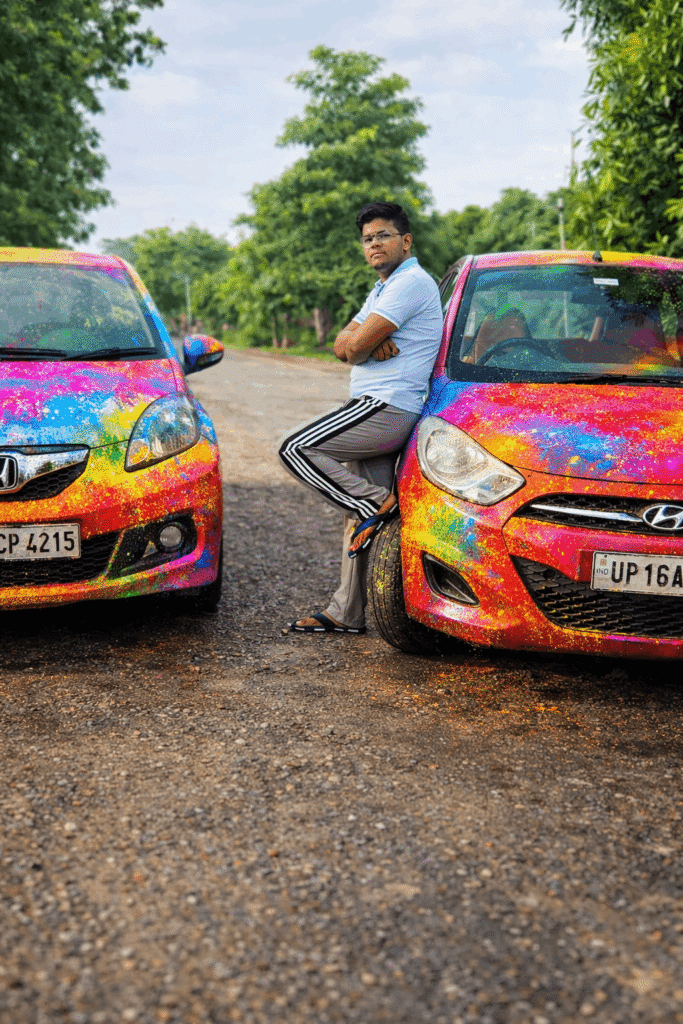
Ultra realistic 4K cinematic photo of my car fully covered in vibrant Holi colors. Bright pink, blue, yellow, green and orange gulal only on the car body (roof, bonnet, doors, mirrors, tyres). Background clean and natural, no colors in background. Wet color texture, glossy reflections, detailed powder particles, sharp focus, festive Holi vibe, professional photography.
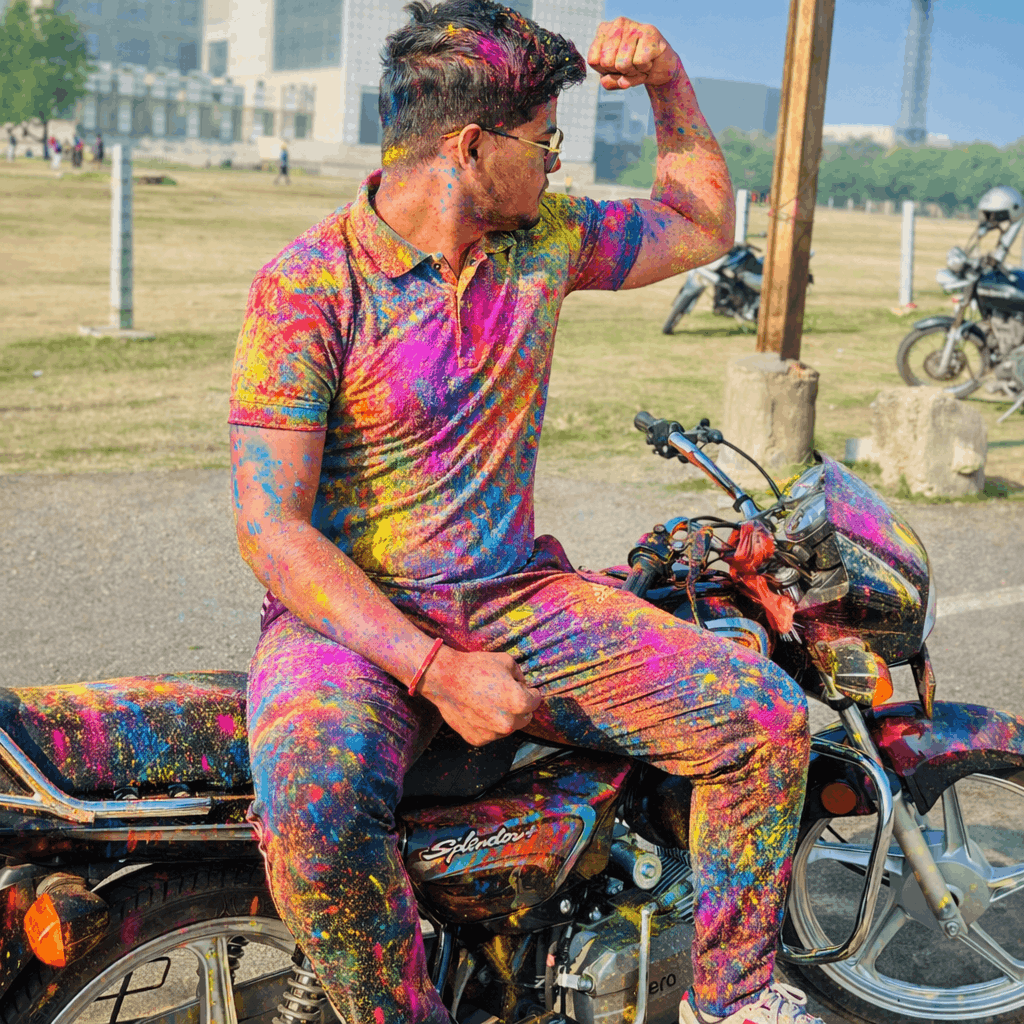
Add multicolour Holi Gulaal on the bike and un this person on the road.& the keep the rest image same
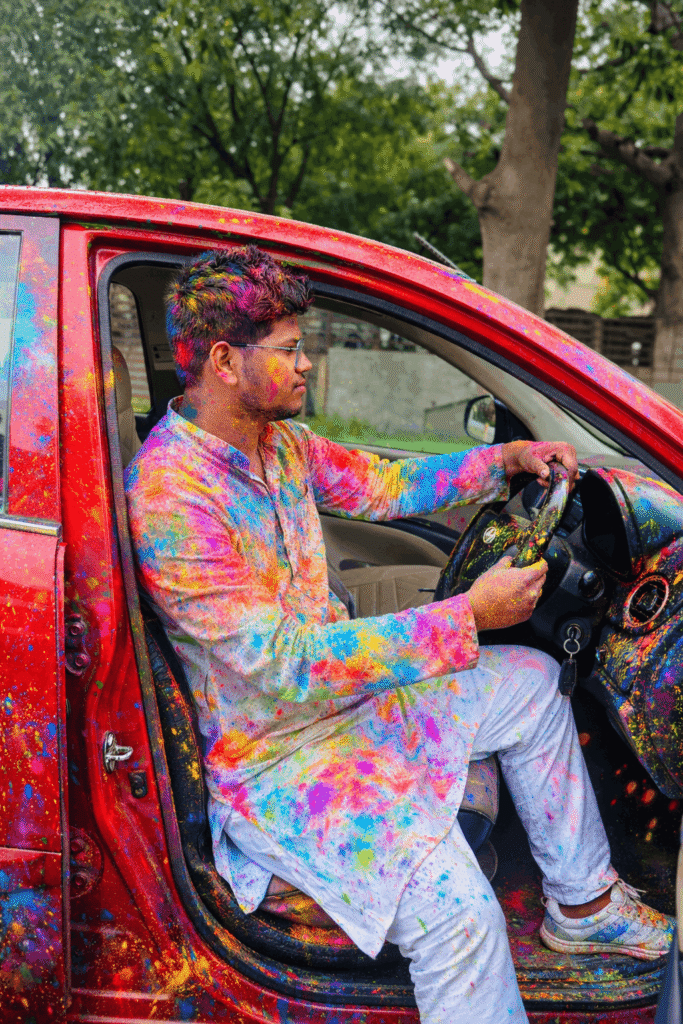
Ultra-realistic 4K cinematic PORTRAIT photo of my vehicle with person if present, fully covered in vibrant Holi colors. Bright gulal on vehicle body, mirrors, wheels and tyres, and on the person’s clothes and skin. Keep the same original face exactly as the reference image — same identity, facial structure, skin tone, beard, hair and expression. Do not change the face. If the person is wearing a helmet keep the same helmet with Holi colors, if not then no helmet. Color splashes on the road. Background natural and unchanged. Wet glossy texture, powder particles, sharp focus, HDR, photorealistic lighting, festive Holi vibe. Vertical portrait composition, full body visible.
